FAQ
What is the difference between laser and inkjet printers?
Laser printers use toner powder and are generally faster, making them ideal for high-volume printing and office use. Inkjet printers use liquid ink and are better for high-quality color images and photos, which makes them popular for home use. If you mostly print documents, a laser printer is more cost-effective in the long run. For photo printing or occasional color prints, inkjet is a good choice. Consider your main use before deciding.How do I know which printer has better print quality?
Print quality depends on the printer's resolution (measured in DPI) and color accuracy. Higher DPI means sharper images and text. For photos, look for printers with at least 1200x1200 DPI and good color reviews. For documents, even 600x600 DPI is usually enough. Always check sample prints or user reviews to see real-world results before buying.How fast do printers usually print, and does speed matter?
Print speed is measured in pages per minute (PPM). Laser printers are faster, often printing 20-40 PPM for black and white documents, while inkjets usually print 8-15 PPM. Speed matters if you print a lot or need documents quickly, like in an office. For home use or occasional printing, speed is less critical. Always check the PPM for both black and color prints, as they can differ.Are ink and toner replacements expensive?
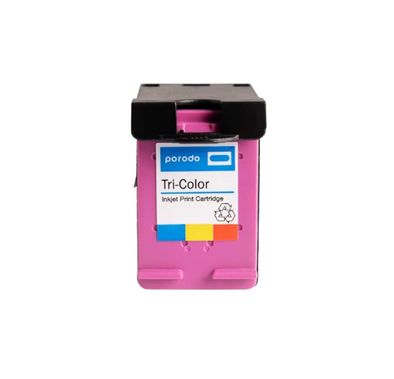
The cost of ink and toner can add up over time, sometimes costing more than the printer itself. Laser printers usually have higher upfront costs for toner but last longer and print more pages per cartridge. Inkjet cartridges are cheaper but need frequent replacement, especially if you print in color. Always check the price and page yield of consumables before buying a printer. Consider printers with high-yield cartridges to save money.What connectivity options should I look for in a printer?
Modern printers offer several connectivity options like Wi-Fi, Bluetooth, USB, and sometimes Ethernet. Wi-Fi allows you to print wirelessly from any device on your network, while Bluetooth is good for direct printing from smartphones. USB is reliable for direct connection to a computer. If you want to print from multiple devices or use mobile printing apps, make sure the printer supports wireless connections. Always check compatibility with your devices.Will this printer fit in my home or office space?
Printers come in various sizes, from compact models for small desks to large office machines. Measure your available space before buying and check the printer's dimensions in the product details. For home use, compact or all-in-one printers are popular because they save space. Offices might need larger, faster models with extra trays. Always consider where you'll place the printer and if you need easy access for multiple users.How do I know if a printer is compatible with my laptop or smartphone?
Check the printer's specifications for supported operating systems and mobile printing features. Most modern printers work with Windows, Mac, iOS, and Android, but it's good to double-check. Look for features like AirPrint (for Apple devices) or Google Cloud Print. Download the manufacturer's app for easy setup and printing from your phone. If you have a specific device, search for compatibility info before buying.Is wireless setup difficult for printers?
Most modern printers make wireless setup easy with step-by-step guides and apps. Usually, you just connect the printer to your Wi-Fi network using the control panel or a mobile app. Some printers support Wi-Fi Direct, letting you print without a router. If you face issues, check the manual or the manufacturer's website for troubleshooting. Make sure your Wi-Fi signal is strong where you place the printer.How important is brand reputation and warranty when buying a printer?
Brand reputation matters because established brands like HP, Canon, and Epson usually offer better reliability, support, and software updates. A good warranty protects you from defects and gives peace of mind. Always check the warranty period and what it covers—some brands offer on-site service or extended warranties. Reading reviews can help you avoid brands with frequent issues. Investing in a trusted brand often saves you trouble later.What features should I look for if I want to print photos at home?
For photo printing, look for inkjet printers with high resolution (at least 4800x1200 DPI) and multiple color cartridges for better color accuracy. Some printers are designed specifically for photos and support glossy or specialty papers. Check if the printer has borderless printing and supports different photo sizes. Read reviews about photo quality and color reproduction. Using original ink and recommended paper also improves results.
Expert Advice for Choosing the Right Printer
Why Printers Matter in Everyday Life
Printers remain an essential tool for both home and office environments, bridging the gap between digital convenience and tangible results. A reliable printer can streamline your workflow, support creative projects, and ensure important documents are always within reach. Whether you’re printing family photos, business reports, or school assignments, the right printer brings efficiency and quality to your daily routine.
Explore a Wide Range of Options
The world of printers is remarkably diverse, offering everything from compact inkjet models for occasional use to robust laser printers designed for high-volume tasks. You’ll find specialized devices for photo printing, all-in-one machines that scan and copy, and wireless options for seamless connectivity. Leading brands like Lenovo, Amazon, and Acer each bring unique strengths to the table, ensuring there’s a perfect fit for every need and budget.
The Challenge of Choosing
With so many features and specifications to consider, selecting the right printer can feel overwhelming. Many buyers struggle to decide between inkjet and laser technology, or wonder which connectivity options are truly necessary. Questions about print speed, resolution, and ongoing maintenance costs are common, making it easy to feel uncertain about which model will serve you best in the long run.
Key Factors to Consider
When shopping for a printer, it’s important to think about your typical usage patterns. Consider the volume of printing you expect, the types of documents or images you’ll produce, and whether you need additional functions like scanning or copying. Pay attention to compatibility with your devices, ease of setup, and the availability of affordable replacement cartridges. Brands such as Anker and Lenovo are known for their user-friendly designs and reliable performance.
Understanding Quality and Price
Printers come in a wide range of price points, each offering different levels of quality and features. Entry-level models are ideal for light, occasional use, while mid-range options balance speed, print quality, and cost-effectiveness. Premium printers, often from trusted names like Acer, deliver exceptional performance and advanced features for demanding users. It’s wise to weigh upfront costs against long-term expenses such as ink or toner replacements.
Your Comprehensive Buying Guide
To help you navigate these choices, we’ve created a detailed resource: How to Choose the Best Printer: The Ultimate Buying Guide. This guide covers everything from understanding technical jargon to comparing the latest models, ensuring you make an informed decision. Whether you’re a first-time buyer or upgrading your current setup, our blog provides clear, practical advice tailored to your needs.
Why Shop with Naml?
At Naml, we take pride in offering a carefully curated selection of printers from industry-leading brands like Amazon, Lenovo, and Anker. Our team evaluates each product for quality, reliability, and value, so you can shop with confidence. Enjoy fast delivery across the UAE and dedicated customer support every step of the way.
Tips for First-Time Buyers
If you’re new to buying printers, start by assessing your actual needs—don’t overbuy on features you won’t use. Look for models with straightforward setup processes and readily available support. Consider the total cost of ownership, including ink or toner, and check for compatibility with your devices. Reading user reviews and expert recommendations can also help clarify your options.
Shop with Confidence
Choosing the right printer doesn’t have to be complicated. With expert guidance, trusted brands, and a wide selection, you’re well-equipped to find a model that fits your lifestyle and budget. Explore our collection today, and don’t forget to read our Ultimate Buying Guide for in-depth advice. Shop with confidence at Naml, where quality and service come first.


